For you
Save TikTok video links with a note about what to try
Save a TikTok video URL with a note about what you want to try, so it becomes a usable reference rather than another forgotten clip. Add the link to linqlo, supply a recognizable dish or place name, and reopen the original after saving. This workflow organizes links and manual notes rather than downloading video files.
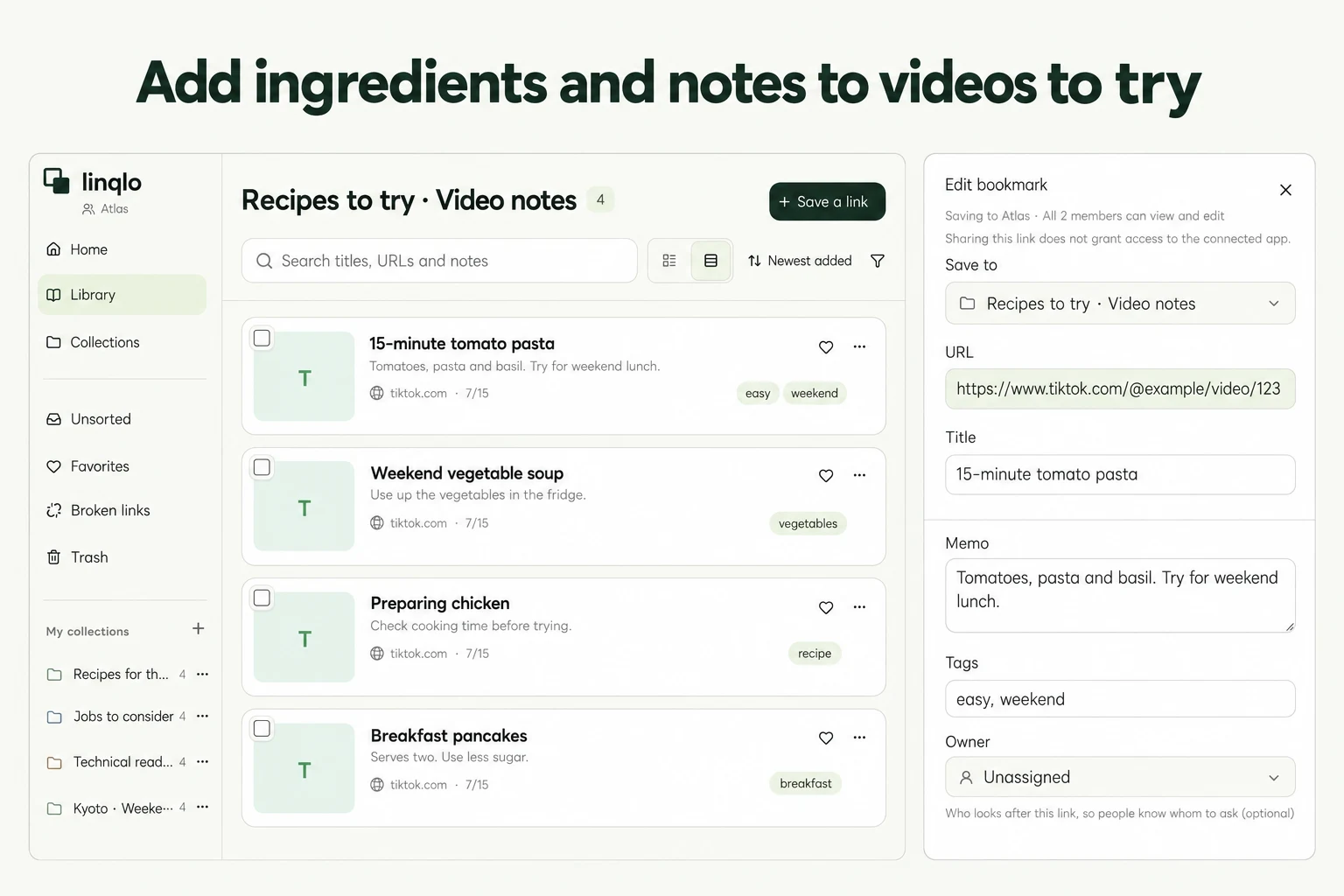
Save one video and test the return trip
Open the video in TikTok and copy its link from the sharing menu. Menu names and positions can vary by device and app version; use the copy-link option shown in your interface.
Open linqlo on the Web and check your account and workspace. Choose a destination collection in the add-URL form, paste the link, and save. If a supported linqlo app appears in the OS share sheet, you can send the link directly there instead.
Immediately reopen it from your list. Check that it returns to the same dish, place, and creator. A short sharing URL is not, by itself, evidence of either success or failure; the destination is what matters.
Give the video a name you would search for
An imported title built from a caption or hashtags may not describe the detail you remember. Edit the saved bookmark and include the dish, place, or action you want to revisit. To add the title on the first save, choose “Detailed entry” in the add-URL form.
For example, “One-pan pasta: when to combine the sauce” is more useful than “You have to try this!” This is a fictional naming example, not a claim about a particular video's instructions or results.
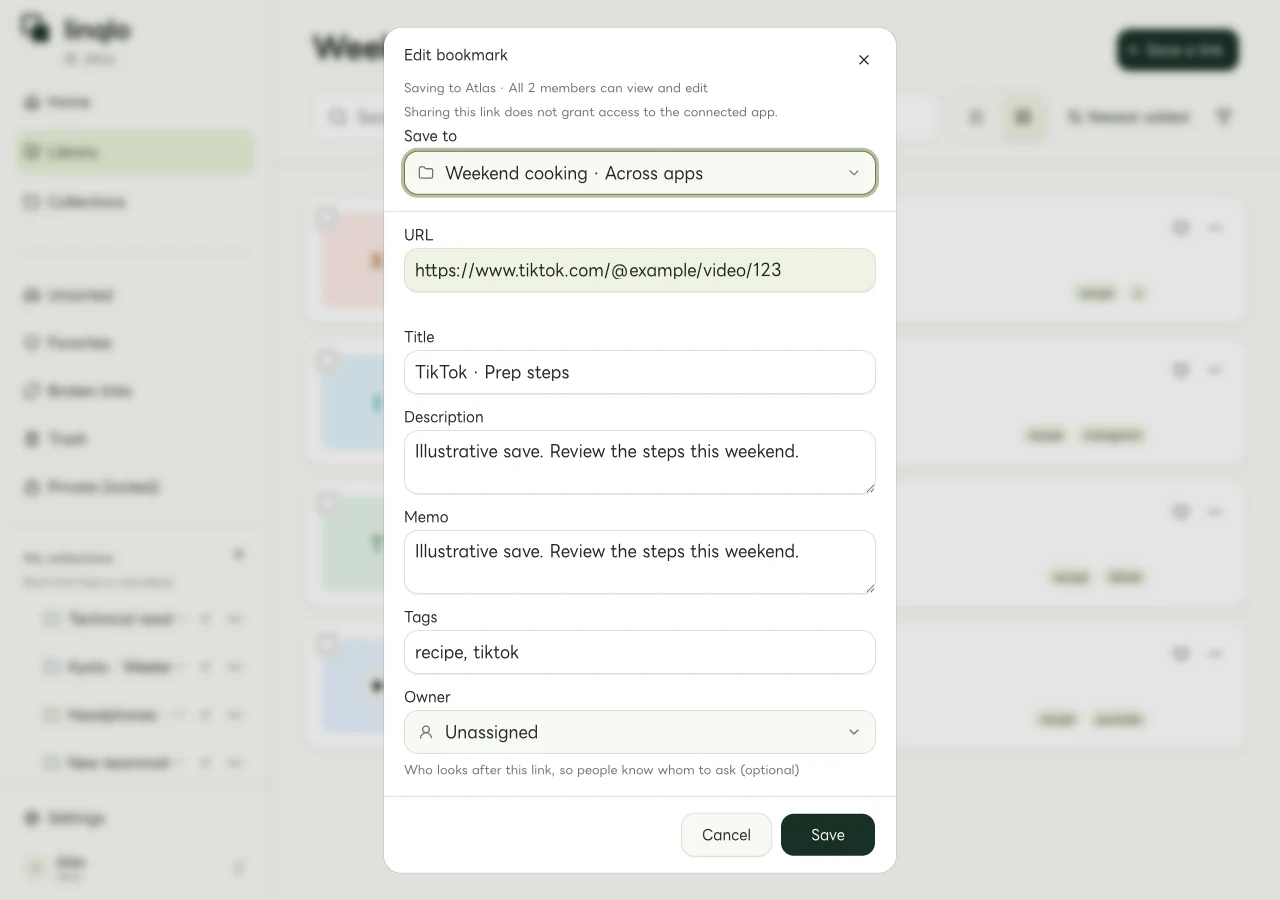
A Web-app editing example using a fictional video URL, rather than a TikTok playback screen.
Keep tags focused on a later choice, such as weekend or check-ingredients. Put the detailed context in the note instead of turning every phrase into a tag.
Separate the creator's explanation from your ideas
A fast-moving video can make it easy to mix what you saw with your own proposed variation. For a cooking video, three lines can be enough:
- Creator's explanation: revisit the order for combining the sauce.
- Unchecked: quantities were not clear in the video; check the post's text.
- My next step: a possible weekend dish; reread the method before buying ingredients.
If a useful detail came from a comment, label it as a comment rather than the creator's instruction. Do not turn an unverified suggestion about quantities or conditions into an established step. If you find a written recipe, save it in the same collection and use the recipe-link guide to choose what to cook.
For a place-discovery video, change the note's purpose: “Interested in the viewpoint. Check official opening hours and access.” Add the venue's official page too. When it becomes part of a real trip, move on to organizing travel candidates.
If a short link sends you somewhere else
If a sharing link fails, opens another video, or only reaches a profile, reopen the original video in TikTok. Copy its link again and check whether it also opens the intended video in a browser. You do not need to guess a URL or reconstruct a video ID.
If copying produced a description as well as a link, check that the value you paste into linqlo is the intended URL. After a saving error, look for an existing copy in your list before adding the same link repeatedly.
The original video's viewing rules still apply
Revisit the video through TikTok's app or Web page. Deletion or changes to visibility may prevent playback even when the saved link remains. Private content requires an account permitted to view it.
This process does not automatically import your TikTok favorites. If you find related material elsewhere, use the guide to organizing links across social apps and the Web to bring it together. Start by writing one clear reason to return to the video.
Put the guide into practice.
Create a free account to get started. No credit card needed.
Bring your links together for free