For you
Compare shopping links against the requirements that matter
Save each product link with your must-haves, the reason you like it and what you still need to check. A single linqlo collection with consistent notes makes it easier to compare products from different stores. Check prices and availability with the retailer again just before buying.
Choose three requirements before adding more products
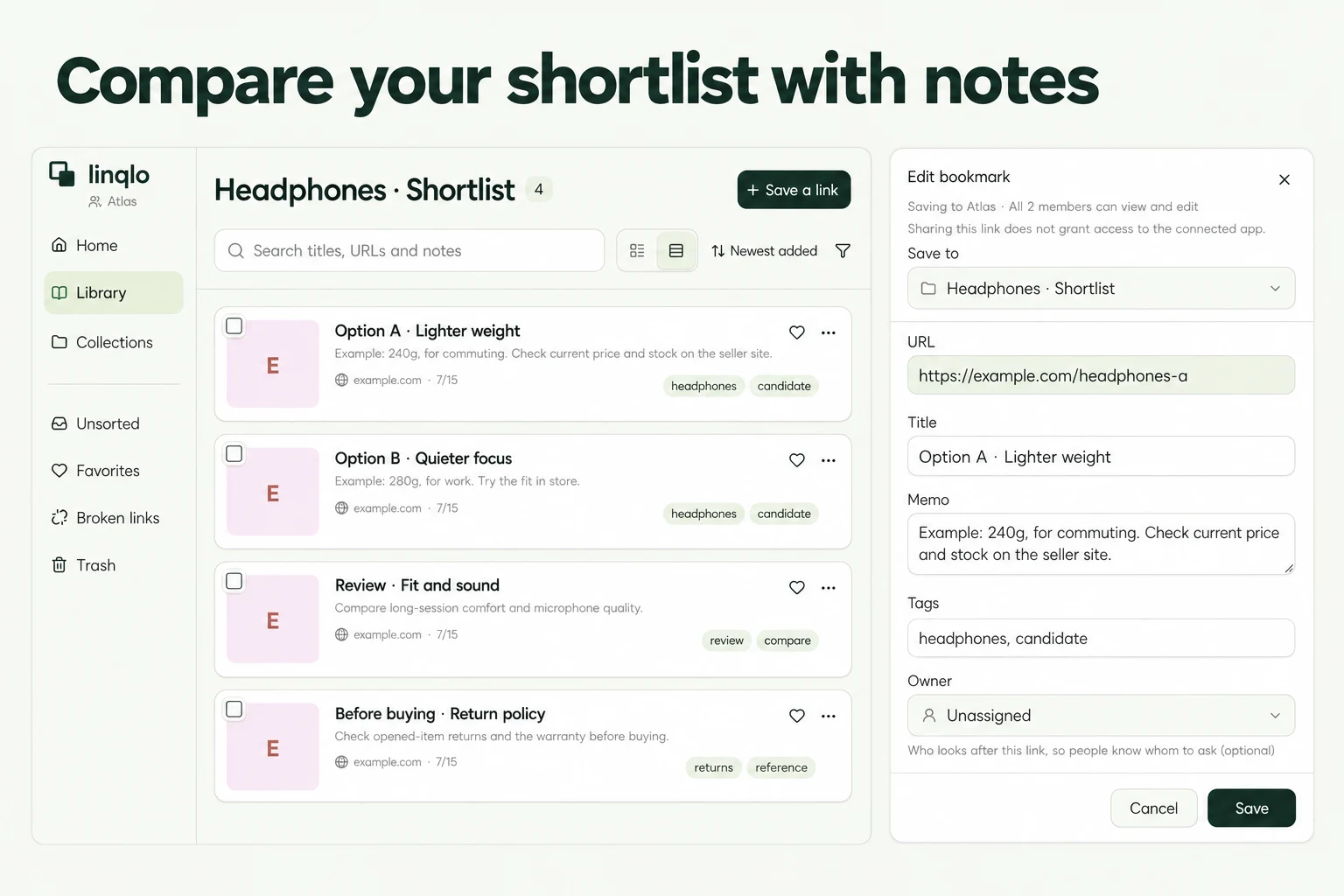
A product page may list dozens of features. You do not need to compare them all. Start with about three criteria tied to how you will use the purchase.
For commuting headphones, that might mean comfort over a longer session, ease of carrying and compatibility with your device. If noise reduction matters most, make that one of the criteria instead. The point is to identify options that work for you.
Record your budget and when you need the item as well. A low price is less helpful if delivery is too late or the purchase requires extra accessories.
Keep specifications separate from your judgment
This fictional headphone comparison illustrates how to write notes. The figures and features do not describe or recommend real products.
| Option | Information checked | Why it might suit me | Next check |
|---|---|---|---|
| A | Manufacturer lists 240g; folds | I want a lighter bag | Comfort when worn for longer |
| B | Manufacturer lists 260g; does not fold | I liked the fit when trying it in a store | Whether it fits my bag with its case |
| C | Weight not checked; includes a case | Looks convenient to carry | Weight and device compatibility |
“240g” is a sourced specification. “I want a lighter bag” is a preference. “I liked the fit” is a personal observation in this example. Keeping them separate tells you what needs further checking. Do not describe a reviewer's experience as though you tested the product yourself.
Set up the shortlist in linqlo
Create a collection such as “Commuting headphones” and save two or three public product pages. Use product URLs rather than checkout carts or order-history pages.
After saving, edit the titles into a consistent format: “Brand / Model / Color.” When you save a URL on its own, the title and description may fill in afterward. Check that the name identifies the option even if no image is retrieved.
Use “Memo” for the same comparison fields on every product. Add your own tags, such as “Shortlist,” “Try in store” and “Check specifications.” These are manual labels; update the notes and tags when you have an answer.
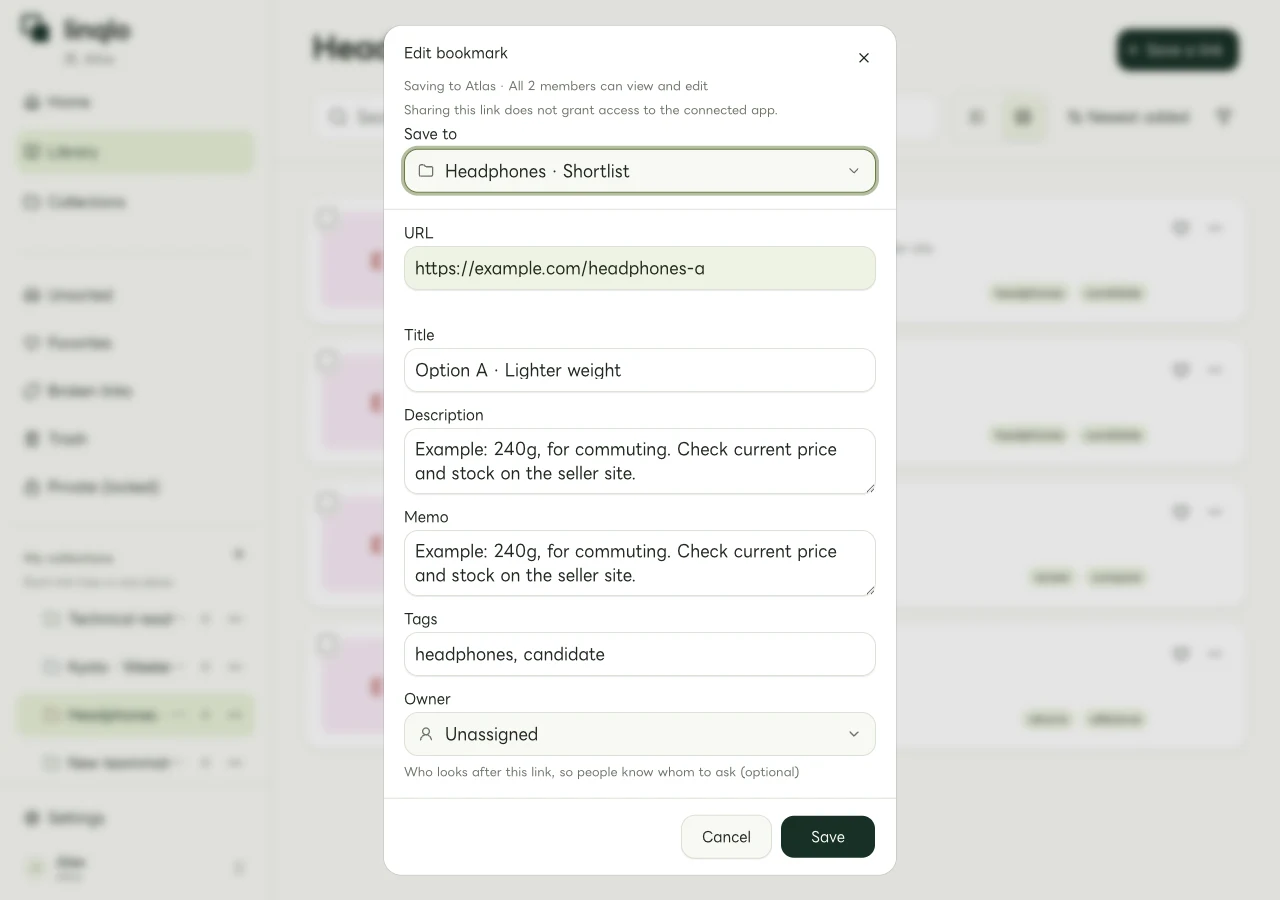
Example comparison notes in the linqlo web editor.
If one page offers multiple sizes or colors, write down the exact combination. Reopening its URL may not restore your selections.
A reusable shopping note
- Product: Brand, model, size and color
- Intended use: Where and what I will use it for
- Must-haves: Requirements it needs to meet
- Checked specifications: Value, unit and source
- Why I like it: Preference or something I actually tried
- Recorded total: Item, shipping, necessary extras and date checked
- Unanswered questions: What I need to know before buying
- Next action: Try it, measure something or ask the retailer
A fictional cost note could read: “Item $80, shipping $6, no required extras, checked 2026-10-01.” Compare the same cost components for every option. An item-only price and a delivered total are different figures.
When two remain, close the open questions
If a product misses a must-have, record why and remove its shortlist tag. Work through the unanswered questions for the remaining options. If both meet the requirements, consider which difference actually affects your intended use.
Before paying, return to the retailer and confirm the exact model and variant, current total, availability, delivery timing, returns and cancellation terms. A price in your note is a dated observation. This workflow does not rely on automatic price updates or sale notifications.
For a purchase where room fit and delivery access matter, use the furniture comparison guide. For outdoor equipment, see shortlisting camping gear for a particular trip.
Put the guide into practice.
Create a free account to get started. No credit card needed.
Bring your links together for free